


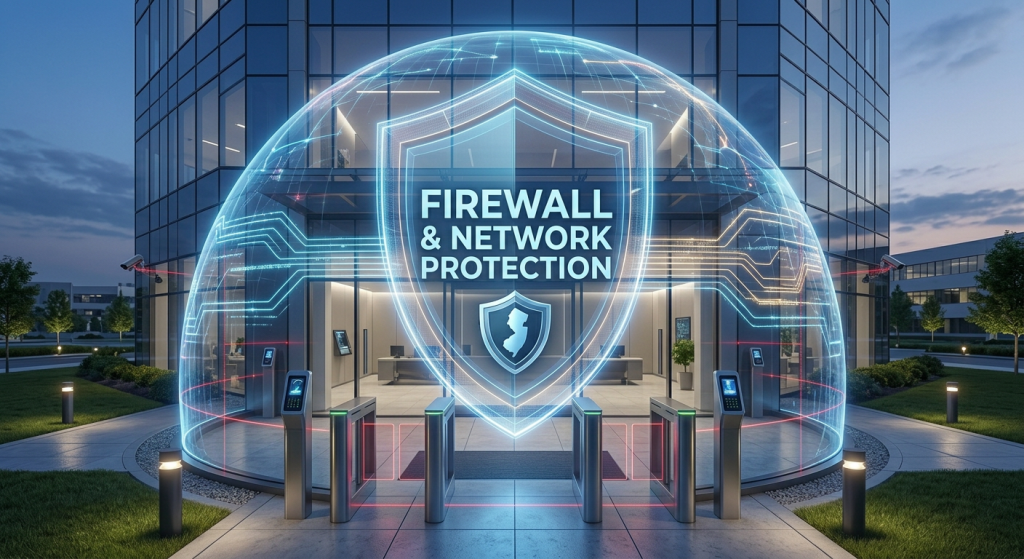
Walk into any New Jersey office, a law firm in Princeton, medical practice in Morristown, logistics company outside Newark, and there is a box, rack-mounted or tucked in a closet, that every other device depends on: the firewall. When it is well-chosen, well-configured, and well-managed, almost nobody thinks about it. When it is neglected, it becomes the single point through which ransomware enters, data leaves, and a business’s worst week begins.
New Jersey offices face a threat environment that justifies the attention. The state’s cybersecurity agency received 954 incident reports in a single year, up 92%, and issued 94,168 compromised-credential notifications, while the FBI recorded $660.4 million in reported cybercrime losses from New Jersey, the fifth-highest state total in the country. New Jersey’s dense concentration of financial services, healthcare, legal, and pharmaceutical businesses makes its offices disproportionately valuable targets, and their networks disproportionately worth defending.
This guide covers firewall and network protection strategies for New Jersey offices specifically: what a modern firewall actually does, the layers of network protection that surround it, how to configure an office network that contains attacks instead of spreading them, and how to keep it all maintained.
Why NJ Offices Need Modern Firewall and Network Protection
The Office Firewall Is Still the Front Door
Even in a cloud-first world, the office firewall remains where the internet meets your business: every video call, cloud sync, email delivery, and vendor connection passes through it. Attackers know this. The Verizon Data Breach Investigations Report finds vulnerability exploitation involved in roughly a third of breach initial access, and unpatched, misconfigured edge devices are among the most exploited assets in the CISA Known Exploited Vulnerabilities catalog. A firewall that was installed years ago and never updated is not a control; it is an open invitation with a brand name on it.
Hybrid Work Made Office Networks More Complicated, Not Less Important
New Jersey’s proximity to New York City makes it one of the most hybrid-work-intensive markets in the country. It changes the office network’s job: it now serves a rotating population of laptops that travel between home networks, coffee shops, and the office, each return trip a chance to carry an infection inside. The office network must therefore be designed to contain devices that cannot fully be trusted, which is precisely what segmentation and internal filtering provide.
Regulated Industries Put the Network Under Examination
New Jersey offices in financial services, healthcare, legal, and pharmaceutical sectors operate under frameworks (PCI DSS, HIPAA, NYDFS-aligned practices, and now CIRCIA reporting) that all presume network-level controls: firewalls with documented rule sets, segmented cardholder and patient data environments, monitored access, and tested recovery. As we covered in our guide to budgeting for IT and cybersecurity in New Jersey, cyber insurance underwriters ask the same questions before quoting coverage. The firewall audit is no longer an IT formality; it is a business gate.
What a Modern Firewall Does (Beyond Blocking Ports)
Next-Generation Firewall Capabilities
The firewall of a decade ago filtered traffic by port and protocol. A next-generation firewall (NGFW) inspects the actual applications and content crossing the network: it can tell the difference between video streaming and a cloud backup sync, between a legitimate SaaS login and credential exfiltration, between an update check and command-and-control traffic. Core capabilities to require in any NJ office deployment include:
- Application awareness and control — policies defined by application, not just port, so shadow IT and unauthorized AI services are visible and blockable.
- Intrusion prevention (IPS) — real-time detection and blocking of exploit attempts against known vulnerabilities, updated automatically as threats emerge.
- Threat intelligence integration — automatic blocking of known-malicious IP addresses, domains, and command-and-control infrastructure.
- SSL/TLS inspection — visibility into encrypted traffic, where the majority of modern attacks and data theft now hide.
- Web and DNS filtering — blocking phishing sites, malware delivery domains, and inappropriate content at the network layer.
- VPN and remote access termination — secure, policy-controlled entry points for remote workers and managed service providers.
Managed Firewalls Beat Set-and-Forget Firewalls
A firewall’s protection decays from the day it is installed: rules accumulate, firmware ages, threat signatures evolve, and the business changes. A managed firewall which is continuously patched, monitored, and audited by a security team stays sharp. This is the core argument of our guide on moving from break-fix to proactive IT management: the configuration that protected you in 2023 is not the configuration that protects you in 2026, and only ongoing management closes that gap.
The Network Protection Layers Every NJ Office Needs
1. Segment the Office Network
The single highest-value strategy for any office: divide the flat network into zones and control traffic between them. At minimum, separate:
- Corporate devices from guest Wi-Fi — guests should never share a broadcast domain with the finance server.
- Server and infrastructure traffic from general employee traffic — the file server should not be reachable from a compromised laptop without a policy decision.
- IoT and building systems — printers, cameras, smart TVs, and badge systems are computers nobody patches; isolate them.
- Management interfaces — firewall and switch admin pages belong on a restricted management VLAN, never on the general network.
Segmentation converts a network-wide breach into a contained incident. When one phishing click lands, the attacker hits a wall instead of the entire company which is the difference between an inconvenience and a breach notification.
2. Filter DNS and Web Traffic
Most malware and phishing depends on DNS to find its infrastructure. DNS-layer filtering blocks requests to known-malicious domains before a connection is ever established including on laptops that leave the office, if the filtering follows the device. Pair it with web content filtering on the firewall, and the majority of commodity attacks never reach users at all.
3. Control Outbound Traffic, Not Just Inbound
Legacy firewall thinking focused on what comes in. Modern attacks also need to get out: malware must reach command-and-control, exfiltrated data must travel to an attacker’s storage, and shadow AI must reach public model services. Egress filtering, like restricting outbound connections to approved destinations and protocols, is how a network stops both data theft and the unauthorized AI usage we documented in our research on AI adoption and security in New Jersey businesses.
4. Secure and Monitor Remote Access
Every remote-work tool (VPN, remote desktop, vendor support portal) is an extension of the office network. Require multi-factor authentication on every remote entry point, restrict remote desktop protocols from direct internet exposure, and replace broad full-tunnel VPNs with identity-aware, per-application access where possible. The 94,168 credential notifications issued to New Jersey organizations in a single year are the clearest possible argument that remote access must never trust a password alone.
5. Harden Office Wi-Fi
Office Wi-Fi should run WPA2/WPA3 Enterprise with individual credentials (not a shared password), separate SSIDs for staff and guests, and client isolation on the guest network. Rotate any pre-shared keys that must exist, and treat wireless controllers and access points as managed, patched infrastructure because attackers do.
6. Layer Endpoint and Email Protection on Top
The network layer works best as one layer among several. Endpoint detection and response (EDR) catches what slips past the perimeter; advanced email security stops the phishing that never touches a firewall rule; and a trained, reporting workforce, as we covered in our guide to employee cybersecurity training for New Jersey workforces, catches the socially engineered attacks that no technology reliably detects. The NIST Cybersecurity Framework exists precisely because protection is a stack, not a box.
How to Implement Firewall and Network Protection: A Step-by-Step Approach
Step 1: Audit What You Have
Inventory the firewall model, firmware version, rule set, and every device on the network including the ones nobody documented. Review existing rules for entries nobody can explain; legacy “allow any” rules are where audits find the gaps attackers already know about. This baseline tells you whether you are hardening a foundation or replacing one.
Step 2: Define What Traffic Should Exist
Before writing rules, document the business’s legitimate flows: which applications, which servers, which vendors, which remote users. Everything not on the list is, by definition, either waste or threat. This flows-first approach keeps the rule set explainable, a requirement for PCI DSS and HIPAA audits and a gift to any future administrator.
Step 3: Upgrade or Replace the Firewall
If the current device is end-of-support, lacks NGFW features, or cannot inspect encrypted traffic, replace it, and size it for three to five years of growth, not today’s headcount. Enable the IPS, subscribe to the threat intelligence feeds, and turn on logging. An unlicensed, unmonitored NGFW is an expensive old firewall.
Step 4: Segment and Rewrite Rules Default-Deny
Build the VLANs (staff, servers, guest, IoT, management) and write rules that permit the documented flows and deny everything else by default. Prune the legacy rules aggressively. The target state is a rule set where every entry has an owner, a purpose, and a review date.
Step 5: Add DNS Filtering, Egress Control, and Remote Access Hardening
Deploy DNS-layer filtering for all office traffic (and roaming devices), restrict outbound traffic to approved destinations, and enforce MFA on every VPN and remote access path. Remove any remote desktop service exposed directly to the internet, a standing invitation the NJCCIC repeatedly warns about.
Step 6: Log, Monitor, and Test
Send firewall logs to a monitored platform, SIEM or a managed detection service, so alerts become action instead of archive. Schedule quarterly rule reviews, patch firmware promptly, and run periodic penetration tests or vulnerability scans against the office network. Protection that is never tested is a hypothesis.
Common Firewall and Network Protection Mistakes in NJ Offices
- The 2018 firewall with 2026 threats. End-of-support devices no longer receive protection against current attack techniques. Age alone disqualifies an edge device.
- Installed but unlicensed. Threat intelligence, IPS signatures, and filtering subscriptions lapsed years ago; the hardware works, the protection does not.
- Flat networks. Guest Wi-Fi, security cameras, and the payroll server sharing one network segment is the most common and most expensive office mistake we see.
- Rule sets that only grow. Every urgent exception becomes permanent. Without scheduled pruning, the rule set becomes Swiss cheese with an audit trail.
- Remote desktop exposed to the internet. RDP or VNC directly reachable from outside, protected only by a password, is the classic initial access path for ransomware.
- No visibility into encrypted traffic. If the firewall cannot inspect TLS, most modern malware and data exfiltration passes through it invisibly.
- Logs nobody reads. The firewall has been recording the attack for weeks; nobody was watching. Logging without monitoring is a compliance checkbox, not a control.
Beyond the Firewall: How Blueclone Secures New Jersey Business Networks
Securing an office network takes more than a properly configured firewall. Businesses also need control over who can access their systems, how devices communicate, and how suspicious activity is identified and handled. Blueclone Networks addresses these areas through firewall management, network security, and ongoing monitoring for New Jersey businesses.
- Firewall assessment and replacement — auditing the current device, rule set, and firmware; recommending right-sized NGFW platforms; and handling migration with minimal disruption.
- Managed firewall services — continuous firmware patching, threat intelligence updates, rule audits, and configuration changes handled by a security team rather than remembered by nobody.
- Network segmentation projects — designing and implementing VLANs that separate staff, servers, guests, IoT, and management traffic, turning potential breaches into contained incidents.
- DNS and web filtering — network-layer blocking of phishing, malware, and unauthorized AI services, extending to devices that leave the office.
- Secure remote access — MFA-enforced VPN and identity-aware access replacing exposed remote desktop services.
- 24/7 monitoring and response — firewall logs correlated with endpoints, identities, and email through our cybersecurity services, so alerts become containment in minutes.
- Compliance-ready documentation — rule reviews, network diagrams, and evidence maintained continuously for PCI DSS, HIPAA, CIRCIA, and insurance underwriting.
- The managed foundation underneath — patching, backup, and endpoint protection through our managed IT services so the network stands on systems that are current, not just filtered.
From firewall configuration and network segmentation to 24/7 monitoring and compliance documentation, Blueclone Networks handles the ongoing work involved in keeping business networks secure. Our managed IT and cybersecurity services also address the systems and devices connected to those networks. Contact Blueclone Networks to arrange a firewall and network assessment and review where your current setup may have gaps.
Frequently Asked Questions
A next-generation firewall (NGFW) sized for three to five years of growth, with active subscriptions for intrusion prevention, threat intelligence, and web/DNS filtering from a vendor with a proven update track record. The specific brand matters less than three requirements: it inspects applications and encrypted traffic, not just ports; it is actively managed (patched, updated, and audited) rather than installed and forgotten; and its rule set is documented and reviewed. An older firewall without current licenses provides a false sense of security that is often worse than none at all.
For a typical small office, hardware runs roughly $1,000–$5,000 depending on capacity and redundancy, with annual licensing for security services typically 30–60% of hardware cost. Managed firewall services which include patching, monitoring, rule audits, and changes usually add a predictable monthly per-user or flat fee. The comparison that matters is against the alternative: New Jersey businesses reported $660.4 million in cybercrime losses in a single year, and the average breach costs far more than a decade of firewall management. Most businesses should treat this as a fixed operating cost, budgeted annually as we describe in our IT budgeting guide.
No, and thinking it is remains the most common mistake. A firewall is the necessary foundation, but modern attacks routinely bypass the edge: phishing emails arrive through legitimate channels, credentials are stolen from users rather than networks, and laptops carry infections from home networks back to the office. Complete protection layers the firewall with network segmentation, DNS filtering, endpoint detection and response, email security, multi-factor authentication, trained employees, and tested backups. The firewall enforces policy at the edge; the other layers catch what gets past it.
Segmentation divides your office network into isolated zones (separating employee devices, servers, guest Wi-Fi, IoT equipment like printers and cameras, and management interfaces) with firewall rules controlling exactly what traffic may pass between them. Without it, one compromised laptop can reach every system in the business; with it, an infection hits a wall and the blast radius is a single zone. It is one of the highest-value, lowest-cost controls available to small and mid-sized offices, and it is increasingly required by PCI DSS, HIPAA-aligned practices, and cyber insurance underwriters.
Firewall firmware and threat signatures should update continuously through active management; the full rule set should be audited at least twice a year, with every rule having an owner, a purpose, and a review date. The broader network design should be reviewed annually and after any significant change — new applications, new locations, new vendors, or new AI tools. Untended networks decay predictably: rules accumulate, privileges creep, and documentation drifts from reality. A managed services provider like Blueclone Networks makes this review continuous rather than episodic, with quarterly business reviews tracking the network against the business plan.


