


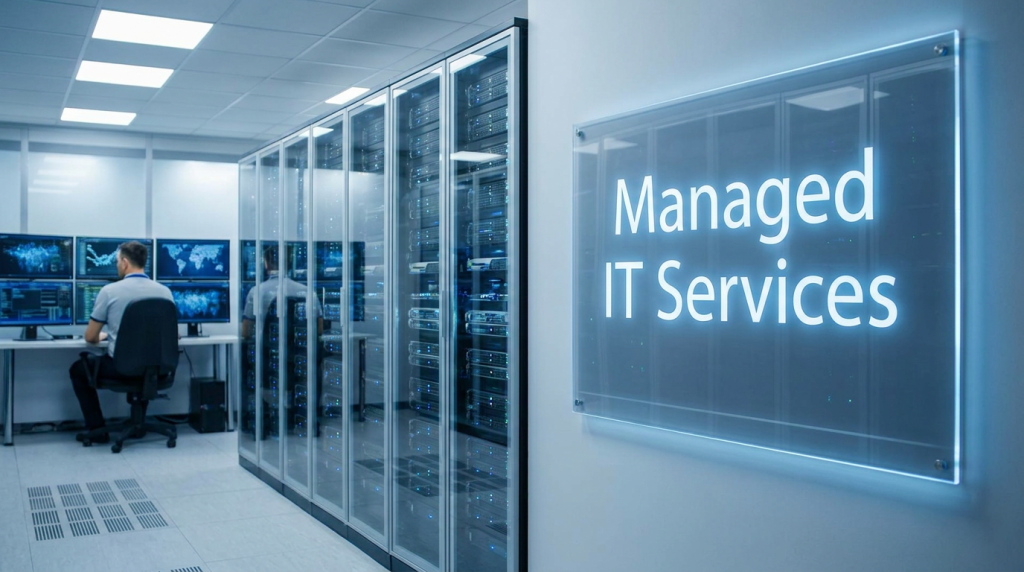
Technology supports nearly every part of a modern business. Employees rely on laptops, cloud applications, email, networks, and shared files to serve customers and keep work moving. When those systems slow down or become unavailable, the impact can extend far beyond the IT department.
For many organizations, the challenge is not knowing that technology needs attention. It is finding enough time and expertise to manage support requests, maintain security, plan upgrades, and prepare for disruptions—all while running the business.
Managed IT services in New Jersey give businesses a way to organize those responsibilities with an outside technology partner. Depending on the agreement, a managed service provider, or MSP, may handle day-to-day support, monitor systems, maintain Microsoft 365, coordinate security services, manage backups, and help leadership plan for the future.
But not every MSP offers the same coverage. Pricing models, support hours, security responsibilities, and response commitments can differ substantially. This guide explains what managed IT services include, how they compare with break-fix support, and what to look for when choosing an IT support partner in New Jersey.
What Are Managed IT Services?
Managed IT services are technology services provided on an ongoing basis under an agreed scope and contract. Instead of calling an outside technician only when something breaks, a business works with a provider to support and maintain some or all of its IT environment.
An MSP’s responsibilities may include:
- Supporting employees with everyday technology issues.
- Monitoring selected computers, servers, networks, and cloud services.
- Maintaining and updating systems.
- Managing user accounts and access.
- Supporting cybersecurity controls.
- Managing backup systems and helping test recovery.
- Documenting the environment and recommending improvements.
- Advising leadership on technology budgets and projects.
The scope depends on the agreement. One organization may outsource most of its IT support, while another may keep an internal IT manager and use an MSP for specialized work or additional coverage.
Managed IT Is an Ongoing Relationship
A useful managed IT relationship combines support, maintenance, security, accountability, and planning. The provider should understand how the business operates, which systems are essential, and what level of disruption the organization can tolerate.
For example, a professional services firm may depend heavily on Microsoft 365, secure remote access, and document availability. A manufacturer may have office systems, production-related devices, vendor connections, and operational technology that require different approaches.
The right service plan should reflect those differences rather than apply the same assumptions to every client.
Managed IT vs Co-Managed IT
With a fully managed IT model, the provider takes responsibility for the services defined in the agreement and acts as a primary source of IT support.
With co-managed IT, the provider supplements an internal employee or team. The internal team may retain ownership of daily priorities while the MSP assists with areas such as cloud administration, help desk capacity, security projects, documentation, or after-hours coverage.
Neither model is automatically better. The right choice depends on your existing staff, available skills, business requirements, and budget.
Why New Jersey Businesses Need Proactive IT Management
New Jersey businesses operate across a wide range of industries, including healthcare, financial services, legal services, manufacturing, life sciences, logistics, and professional services. Their technology requirements vary, but most share a common need: systems that are secure, reliable, and supported by a clear plan.
Proactive IT management helps address that need by identifying issues and maintaining systems before they become urgent business problems. It cannot prevent every outage or security incident, but it can reduce avoidable risks and improve how an organization responds.
Reduce Avoidable Disruptions
Many support issues develop over time. A device runs out of storage. A backup job repeatedly fails. A firewall or operating system approaches the end of vendor support. An employee account remains active after someone leaves the company.
Monitoring and routine maintenance help identify these issues so the business can address them before they interrupt work. For leadership, the value is not simply fewer tickets—it is a more predictable technology environment.
Support Hybrid and Multi-Location Work
Employees may work from an office, home, client sites, or a combination of locations. Businesses with multiple New Jersey offices may also need consistent support across sites.
That creates more devices, accounts, internet connections, and applications to manage. An MSP can help establish consistent processes for onboarding users, securing devices, supporting remote access, and resolving problems regardless of where an employee works.
When comparing providers, ask how they support remote users and what happens when an issue requires an on-site visit.
Improve Cybersecurity Coordination
Security controls are most effective when they are maintained as part of daily operations. Patching, account management, multifactor authentication, endpoint protection, and backup verification all depend on ongoing attention.
A managed IT provider can help coordinate these activities and clarify who is responsible for each one. This is important because a business should not assume a control is covered simply because an MSP administers its systems.
For a broader view of risk management, the NIST Cybersecurity Framework provides a structure for governing, identifying, protecting against, detecting, responding to, and recovering from cybersecurity risks.
Make Technology Spending More Predictable
A monthly managed IT agreement can make recurring support costs easier to plan. Businesses can compare the base service fee with the cost of maintaining internal capabilities, purchasing tools separately, and responding to unplanned issues.
Predictability does not mean every technology expense is included. Hardware replacements, new office projects, major migrations, software licenses, and after-hours support may be billed separately.
A good proposal should distinguish recurring costs from exclusions and project costs so leadership can budget with fewer surprises.
Plan for Growth and Business Continuity
Technology planning is not limited to replacing old computers. It can include opening a new office, improving remote access, preparing for an audit, migrating applications, or determining how quickly critical systems need to recover after a disruption.
An MSP should help translate those goals into a practical roadmap with priorities, estimated costs, dependencies, and responsibilities.
What Managed IT Services Include
Managed IT plans vary by provider, but most businesses should evaluate three major areas: employee support and monitoring, cybersecurity and Microsoft 365, and backup and disaster recovery.
Help Desk and Monitoring
Employee support is often the most visible part of an IT services agreement. When someone cannot access an application, connect to a network, or use a printer, they need to know how to request help and what response to expect.
A help desk arrangement may cover:
- Account access and password issues.
- Device and application troubleshooting.
- Microsoft 365 support.
- Network connectivity problems.
- New employee setup and offboarding.
- Coordination with software and internet vendors.
- Escalation of more complex technical issues.
Ask the provider whether support is available by phone, email, portal, or another channel. Find out when the help desk is staffed, how urgent issues are prioritized, and whether on-site support is included.
What Does Monitoring Cover?
Monitoring tools can alert an IT team to issues affecting selected systems. Depending on the service, these may include device health, system availability, storage capacity, security events, patch status, or backup failures.
However, monitoring is not the same as remediation. A provider may detect an issue, but the agreement should explain who investigates it, what actions are included, and when the customer will be notified.
Questions to ask include:
- Which devices and services are monitored?
- Are alerts reviewed around the clock or only during business hours?
- Who responds when an alert is generated?
- Are remediation and follow-up included?
- What reporting will we receive?
If a proposal mentions “24/7 monitoring,” ask whether that also means a person is available to investigate and respond at all hours.
Cybersecurity and Microsoft 365
Microsoft 365 supports email, collaboration, file storage, and productivity for many New Jersey businesses. Managing it involves more than creating accounts and installing applications.
A provider’s Microsoft 365 responsibilities may include:
- Creating, changing, and removing user accounts.
- Assigning and managing licenses.
- Configuring multifactor authentication.
- Reviewing administrative access.
- Supporting Exchange Online, Teams, SharePoint, and OneDrive.
- Helping manage security settings and policies.
- Troubleshooting user access and synchronization problems.
- Coordinating changes, migrations, or new deployments.
The details should be defined in the agreement. For instance, administration of user accounts may be included while a major SharePoint migration is treated as a separate project.
Cybersecurity Services to Discuss
A managed IT provider may offer some or all of the following security services:
- Operating-system and application patch management.
- Endpoint security and detection tools.
- Email security and phishing protection.
- Firewall administration.
- Multifactor authentication and access management.
- Vulnerability review and remediation coordination.
- Security awareness training.
- Security monitoring and incident response support.
Not every MSP includes these controls in a base package. Some services, licenses, and response activities may require a separate agreement. Ask for an itemized list that identifies the tools, coverage, response responsibilities, and exclusions.
It is also important to understand the division of responsibility. The provider may configure a control, while the business remains responsible for approving access, enforcing policies, and making decisions about risk.
Backup and Disaster Recovery
Backups help an organization recover data after events such as accidental deletion, corruption, a system failure, or a security incident. Disaster recovery planning goes further: it addresses how critical systems and operations will be restored after a significant disruption.
A backup plan should identify:
- Which systems and data are covered.
- How frequently backups run.
- Where backup copies are stored.
- How backup access is protected.
- How long data is retained.
- Who reviews failed backup jobs.
- How often restoration is tested.
- Who is responsible for carrying out a recovery.
A successful backup job is important, but it is not the same as proof that the business can restore a critical system when needed. Ask how recovery tests are performed and how results are reported.
Set Recovery Priorities
Different systems may have different recovery requirements. A business might need a customer-facing application restored quickly, while a less time-sensitive archive can wait longer.
Two useful planning terms are:
- Recovery time objective (RTO): The target amount of time to restore a service after a disruption.
- Recovery point objective (RPO): The target for how much data loss, measured in time, the business can tolerate.
These are planning objectives, not automatic guarantees. An MSP should help the business understand what its existing tools can support and what additional investment may be required to meet its targets.
Backup and disaster recovery are also different from business continuity. A continuity plan considers how people will communicate, serve customers, and perform essential work while systems are unavailable.
Managed IT vs Break-Fix Support
Break-fix support is a reactive model: a business contacts a technician when a problem needs attention, and the work is typically billed as it occurs.
Managed IT is an ongoing service model: the provider takes responsibility for defined support and maintenance activities under an agreement.
- Approach: Managed IT provides ongoing support and maintenance within an agreed scope. Break-fix support is requested when a specific problem occurs.
- Pricing: Managed IT often uses a recurring monthly fee, though some services may be excluded. Break-fix support is commonly billed by the hour or by project.
- Monitoring: Monitoring may be included for systems covered by a managed IT agreement. It is not necessarily included with break-fix support.
- Planning: Managed IT may include regular reviews and recommendations. Break-fix support usually focuses on resolving the immediate issue.
- Accountability: Managed IT responsibilities are defined by the contract, service levels, and reporting. In a break-fix model, responsibilities are typically defined for each individual engagement.
Break-fix support can be appropriate for a limited, one-time need. A small business may occasionally need help installing a device or resolving an isolated problem without purchasing a comprehensive service plan.
Managed IT becomes more attractive when an organization depends on multiple systems, needs consistent employee support, wants ongoing maintenance, or requires more structured security and recovery processes.
Is Managed IT More Cost-Effective?
The answer depends on what the business needs and what the contract includes. A monthly fee may improve budgeting, but it does not automatically make a service less expensive than every alternative.
Compare the total cost and scope of each option:
- Recurring service fees.
- Software and security licenses.
- On-site and after-hours support.
- Project and migration work.
- Backup and recovery services.
- Internal staff time needed to manage the environment.
- Hardware replacement and future upgrades.
The goal is to understand the value and responsibilities you receive—not simply to choose the lowest monthly quote.
How to Choose an MSP
Choosing an MSP in NJ is a business decision as much as a technical one. The provider will have access to important systems and may influence your security posture, employee productivity, and ability to recover from disruptions.
Use the following criteria to compare providers.
1. Start With Your Business Requirements
Before requesting proposals, identify your current environment and priorities:
- How many employees and locations need support?
- Which applications and systems are business-critical?
- Do employees work remotely or at client sites?
- Do you have an internal IT employee or team?
- What support hours are required?
- Which security and compliance responsibilities apply?
- What problems are you trying to solve first?
A provider can give a more useful proposal when it understands the business rather than only the number of devices.
2. Review the Scope of Support
Ask prospective providers to identify what is included, what is excluded, and what requires approval as a separate project.
For example, confirm whether the agreement covers routine Microsoft 365 administration, new employee setup, third-party vendor coordination, firewall changes, device replacements, and on-site visits.
Be cautious of vague phrases such as “unlimited support” without a definition of which users, devices, issues, and hours are covered.
3. Examine Service-Level Commitments
A service-level agreement, or SLA, should explain how support requests are prioritized and when the provider aims or commits to respond.
Ask:
- How are critical, high, and routine tickets defined?
- What are the response targets for each priority?
- Are there resolution targets, and what conditions affect them?
- What support is available outside normal business hours?
- How are missed commitments reported and addressed?
Response time and resolution time are different. A provider may acknowledge a ticket quickly while the actual fix depends on diagnosis, a third-party vendor, or replacement equipment.
4. Understand the Security Responsibilities
Ask the provider to show exactly which security services and licenses are included. Find out who handles patching, endpoint protection, account reviews, monitoring, incident response, and security awareness training.
Also discuss what happens during an incident:
- Who is notified?
- Who makes containment decisions?
- What response services are included?
- When are outside specialists needed?
- How are evidence, communications, and recovery coordinated?
No provider can guarantee that an organization will never experience an incident. Look for a provider that explains its responsibilities and limitations clearly.
5. Ask About Industry and Compliance Experience
If your business operates in a regulated industry, ask how the provider supports your obligations and documentation needs. Examples might include helping maintain inventories, access records, configurations, backup evidence, or incident documentation.
Be precise about roles. An MSP can support a compliance program, but purchasing managed IT services does not automatically make an organization compliant. Legal, regulatory, and contractual obligations remain dependent on the organization’s circumstances and decisions.
6. Evaluate Local and Remote Support
For IT support in NJ, local availability can matter when equipment fails, an office opens, or network work must happen on-site. At the same time, many issues can be resolved remotely.
Ask how the provider determines whether an on-site visit is needed, the geographic area it serves, typical scheduling expectations, and whether travel or on-site labor costs extra.
7. Look for Reporting and Technology Planning
A good MSP should be able to explain what it has done and what the business should consider next. Request a sample report or review agenda.
Useful topics may include:
- Support trends and recurring issues.
- Device and software status.
- Backup results and recovery testing.
- Security activities within the contracted scope.
- Systems approaching end of support.
- Open risks and recommended projects.
- Budget priorities for the next planning period.
Reporting should help leadership make decisions, not simply present a large number of technical alerts.
8. Review Pricing, Ownership, and Exit Terms
Before signing, confirm:
- The monthly fee and how it may change.
- Which licenses and services are included.
- Project rates and after-hours charges.
- Contract length, renewal, and cancellation terms.
- Ownership of data, domains, documentation, and licenses.
- How administrative access will be maintained and transferred.
- What assistance is available if you change providers.
Your business should retain appropriate control over its accounts and data. A well-documented exit process protects both parties and makes future transitions easier.
How Much Do Managed IT Services Cost in New Jersey?
There is no single price for managed IT services in New Jersey. Providers may charge per user, per device, per location, or through a custom agreement.
Costs depend on factors such as the number of employees, the complexity of the environment, required support hours, cybersecurity coverage, compliance needs, and whether the provider also manages backup, cloud services, and strategic planning.
When comparing proposals, ask each MSP to price the same scope. A lower quote may exclude services that another provider includes, while a higher quote may include tools or support your business does not need.
Request a written breakdown of:
- Monthly recurring services.
- Security and backup licenses.
- On-site support and travel.
- After-hours assistance.
- One-time onboarding.
- Projects, migrations, and hardware.
- Contract changes as users or locations are added.
That breakdown will make it easier to compare IT support NJ providers on both price and business value.
How to Change Managed IT Providers
Switching providers can feel disruptive, but a documented transition reduces uncertainty. The incoming MSP should explain its onboarding process before you sign.
A transition typically includes:
- Review the current agreement. Understand notice periods, renewal dates, and any transition obligations.
- Inventory systems and services. Identify devices, applications, cloud accounts, vendors, licenses, and critical workflows.
- Confirm ownership and access. Arrange a secure handoff of administrator accounts, credentials, documentation, and configurations.
- Verify backups. Confirm that critical data is covered and determine how recovery would work during the transition.
- Assign responsibilities. Clarify which provider handles tickets, monitoring, changes, and incident response at each stage.
- Communicate with employees. Explain the new help desk process, support hours, and escalation contacts.
- Review the environment after handoff. Validate monitoring, access, security controls, backups, and documentation.
Where possible, coordinate with the outgoing provider to avoid gaps. Do not assume a transition will be completely disruption-free; instead, ask how risks will be identified and managed.
Why Consider Blueclone Networks?
Blueclone Networks is a managed IT and security provider based in Princeton, New Jersey. Founded in 2006, Blueclone works with small and mid-sized organizations, including businesses in regulated and data-sensitive industries.
For businesses evaluating managed IT services in New Jersey, Blueclone’s approach combines technology support with attention to cybersecurity, operational continuity, and planning. Depending on your organization’s needs and the agreed service scope, a conversation can cover:
- IT support and administration: Help for employees and ongoing management of business technology.
- Cybersecurity: A discussion of the controls and responsibilities needed to support your environment.
- Microsoft 365: Assistance with cloud administration, user access, and collaboration tools.
- Backup and recovery: Review of data protection, recovery priorities, and testing needs.
- Technology planning: A roadmap for addressing current risks and preparing for future changes.
- Managed or co-managed support: Options for organizations that need a primary IT partner or additional support for an internal team.
The right arrangement should be clear about services, pricing, support availability, and accountability. If you are comparing providers, bring the questions in this guide to the conversation and ask Blueclone to explain how a proposed plan would fit your business.
Contact Blueclone Networks to discuss your IT support, cybersecurity, and technology planning needs.
Frequently Asked Questions
Managed IT services may include help desk support, system monitoring, device maintenance, Microsoft 365 administration, cybersecurity services, backup management, and technology planning. The exact services depend on the provider and agreement. Before signing, request a written list of included services, coverage hours, exclusions, and any separately billed work.
Pricing varies based on the number of users and devices, the complexity of the environment, support hours, security requirements, and services included. Providers may charge per user, per device, per location, or under a custom agreement. Ask for an itemized proposal that separates recurring fees from licenses, onboarding, projects, and after-hours support.
There is no minimum size. A small business without dedicated IT staff may use an MSP for day-to-day support and maintenance. A larger organization with an internal IT team may use co-managed services for additional coverage, specialized expertise, or specific projects. The right model depends on the business’s technology needs, internal capabilities, and budget.
Start by reviewing your current contract and notice requirements. Then inventory your systems, confirm ownership of accounts and documentation, verify backups, and coordinate a secure transfer of administrative access. Ask the incoming provider for a written transition plan that defines responsibilities, employee communications, and how support and monitoring will be maintained during the handoff.
Sometimes. Managed IT plans may include services such as patching, endpoint protection, multifactor authentication administration, and email security, but the scope differs by provider. Security monitoring, incident response, training, and specialized tools may cost extra. Ask for an itemized description of what is included and who is responsible for responding when an issue is detected.


