






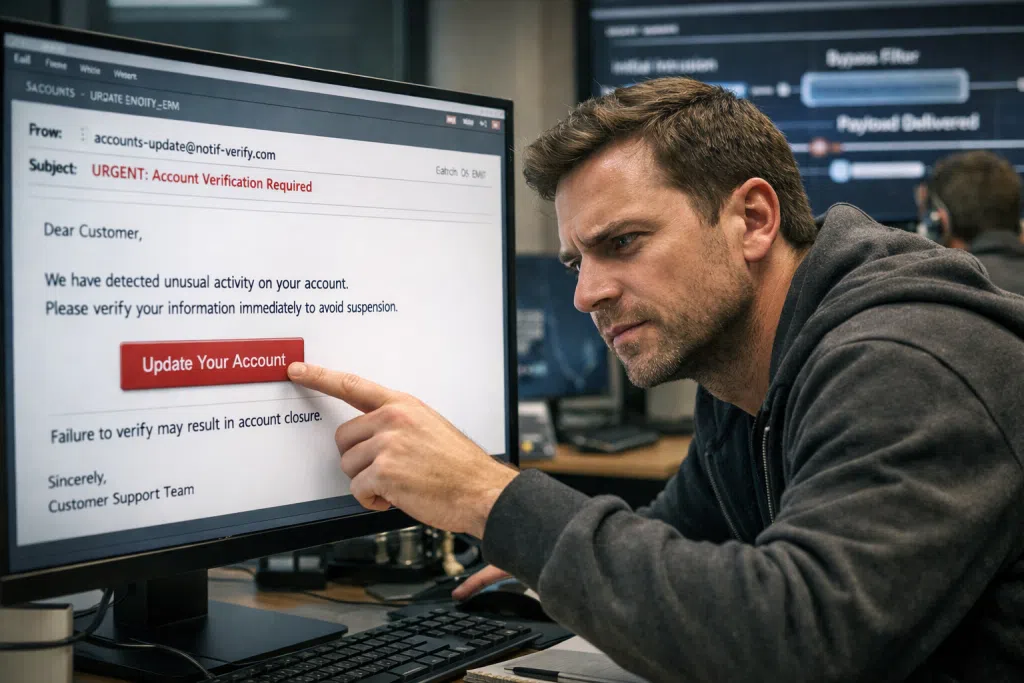
Decoding the Blind Spots in Email Security Software: How Phishing Finds a Way In
Every week, small and midsize businesses in New Jersey and across regulated industries receive emails that can upend operations, compromise client data, and create compliance headaches overnight. Most have invested in email security software, anticipating that it will divert the daily deluge of phishing attempts and scams. Yet time after time, clever phishing emails sneak past the very protections designed to halt them. Why does this happen, and what steps can teams take to stop sophisticated inbox threats for good?
The promise of email security software is enticing: catch threats, quarantine malicious attachments, and filter out digital risks before they touch your most sensitive data. Leading solutions now harness AI, pattern recognition, and real-time threat feeds. Still, breaches abound, from credential harvesting campaigns in law firms to wire transfer fraud exploiting healthcare back offices. Phishing tactics continually evolve, adjusting as soon as security vendors adjust their detection methods. Attackers may tailor messages to your sector, mimic real communication styles, or exploit weak spots specific to legacy systems or unpatched cloud accounts.
Recent data from the FBI’s Internet Crime Report shows that email-based attacks cost U.S. organizations billions of dollars in business email compromise (BEC) and phishing-related losses annually. Mid-sized businesses and regulated entities face particular pressure. Ethical hackers in compliance assessments routinely expose email defense gaps even after organizations have invested in advanced email security solutions. The problem doesn’t lie in using email security software, but rather in how businesses deploy, monitor, and test these systems. Customization for industry-specific risks, regular email security checks, and understanding how new attack vectors can bypass detection engines are just as critical as the choice of vendor.
Connect with Blueclone Networks now to discover actionable steps that go beyond generic solutions and meet the real-world demands faced by healthcare, finance, and legal firms in New Jersey and the surrounding region.
Evolving Phishing Methods: Why “Smart” Attacks Beat Even Advanced Email Security Software
To grasp why phishing still seeps through enterprise-grade email security gateways, it’s crucial to look at current attacker strategies. Gone are the days of obvious “Nigerian prince” scams or poorly written pleas for gift cards. Today’s phishing campaigns fuse social engineering with technical prowess. They analyze your business, sometimes using public staff listings, breached credential databases, or LinkedIn profiles, to craft emails that blend seamlessly with legitimate communication.
One increasingly common threat is spear phishing, which targets staff by name and role. An email purporting to come from your HR manager, complete with company branding and shared workflows, is far less likely to trigger suspicion or basic rules-based filters. Attackers use tactics like domain spoofing, registering lookalike domains (e.g., “bluelcone.com” instead of “blueclone.com”), and exploiting accepted vendor names. They can even compromise supply chain partners or trusted contacts to launch attacks from real addresses. As a result, many advanced email security systems, relying on static threat lists or rigid rulesets, may not flag such threats.
Modern phishing threats often evade filters by:
- Avoiding known malware payloads or links flagged on public threat lists.
- Embedding malicious content in cloud storage links or encrypted attachments.
- Mimicking internal requests for wire transfers, invoice approvals, or login resets.
- Timing attacks to coincide with holidays, end-of-month accounting, or regulatory filings, catching staff when vigilance is lowest.
Meanwhile, attackers, armed with AI-driven content generators and compromised email accounts, simulate real-world correspondence and context. Email security vendors race to keep pace, integrating AI-powered threat detection and anomaly monitoring. Yet gaps remain, particularly if your email security settings are not fine-tuned or if you rely solely on default controls.
A report by Proofpoint highlighted that 74% of organizations faced security incidents related to email in the last year, with many attacks leveraging cloud-based sharing links or sophisticated sender impersonation. For small legal and healthcare practices, where every minute can equal a privacy breach or regulatory violation, even a single false negative from your email protection tool can have long-term repercussions. This underscores why comprehensive security is both a technical and human challenge, blending advanced tools with ongoing education and system review.
Anatomy of Email Security Gaps: Where Protections Fail in Healthcare, Legal, and Financial SMEs
For regulated businesses, especially in healthcare, legal, finance, and pharmaceuticals, compliance adds another layer to the urgency of effective email protection. Every email carries risk: HIPAA violations in healthcare, client data disclosures in law firms, or unauthorized wire transfers at a CPA office. So why do issues persist despite investment in highly rated email security gateways?
Common email security gaps, and how attacks exploit them:
Unmanaged Whitelists and Trusted Domains
Many organizations whitelist vendor addresses or domains to reduce false positives and workflow disruption. However, attackers can leverage these trusted senders by compromising their accounts or creating lookalike domains. Once on a trusted list, phishing emails may pass undetected, even carrying malicious attachments.
Failure to Regularly Update Security Policies
Threats evolve, but security settings often lag. Email security software might block known threats but miss newly emerged phishing lures or overlooked attachment types. When rules are not frequently reviewed or updated, novel attacks can easily slip in.
Insufficient Employee Awareness and Testing
Even advanced protections rely on informed human users. Sophisticated phishing attempts use industry lingo or mimic daily workflows, which basic awareness training fails to address. Regular, scenario-driven phishing tests are rarely run outside large enterprise environments, yet they’re vital for the small and regulated businesses most at risk.
Overreliance on Default Gateways and Out-of-the-Box Configurations
Many SMBs deploy their email security solutions with only minimal customization. Default filtering thresholds or generic spam lists may not account for sector-specific threats, such as healthcare workflow emails, court filings, or payment processors. As hackers increasingly tailor their attacks to those specifics, default settings can become porous.
Lack of Integrated Security Layers
Email gateways cannot act alone. Without integration with endpoint security, SIEM platforms, and threat intelligence feeds, even advanced email security systems can’t defend against threats that move laterally once inside the network. This lack of multi-layered defense creates a false sense of security.
Attacks targeting compliance-intensive sectors are not only financially motivated; regulators now expect demonstrable controls and reporting. Inadequate response to phishing incidents can trigger audits, penalties, or costly breach notifications. Performing regular, documented email security checks using tools and third-party advisors familiar with sector requirements is essential, not just to guard against phishing, but to prove diligence in the event of an incident.
Halfway through your review process, it’s wise to seek outside expertise. Connect with Blueclone Networks now to arrange an industry-specific security check.
Strengthening Your Email Security Stack: Configuration, Testing, and Vendor Partnerships
Confronted with increasingly creative scams, many firms ask: how can we better configure and test our email security without overwhelming internal IT? The answer blends strong vendor partnerships, custom system settings, and regular, real-world attack simulations.
Steps to Take for More Reliable Email Protection
Review and Customize Filtering Rules:
Don’t rely solely on vendor defaults. Work with your IT provider or a co-managed IT services firm to tailor email security filters to your operations. For example, restrict high-risk file types, implement stricter checks for emails with links or attachments from new domains, and set policies to quarantine messages with suspicious language.
Enable Advanced Features:
Modern email security software offers more than spam or virus scans. Leverage available features like URL rewriting, real-time link scanning, malware sandboxing, and impersonation detection. Many phishing attacks employ links that are benign when sent but turn malicious later; dynamic scanning upon link click is critical.
Deploy Multi-Layered Systems:
Combine email protection tools with endpoint security, MFA (multi-factor authentication), and employee awareness programs. Greater integration helps identify and halt threats that bypass any single layer.
Regularly Run Simulated Phishing Attacks:
Testing staff with simulated phishing emails reveals both technology and human vulnerabilities. Track metrics such as click rates, reporting rates, and response times. Use results to guide personalized training and system adjustments.
Vet Your Email Security Vendors:
Not all vendors are alike in their understanding of sector-specific threats, regulatory needs, and evolving phishing techniques. Evaluate potential partners on their commitment to timely updates, available features tailored for regulated industries, and the clarity of their incident response support.
Document Policies and Actions for Compliance:
For healthcare, legal, and financial entities, keeping records of email security tests, training activities, and incident responses is essential for audit readiness and regulatory defense.
Greater email security is not achieved overnight, and no technology is fail-safe. However, SMBs partnering with compliance-driven providers, like those familiar with HIPAA, FINRA, or PCI-DSS, can better anticipate and close emerging gaps. In-house IT teams benefit by offloading configuration and threat analysis burdens to outside specialists who monitor the shifting threat landscape daily.
Choosing Advanced Email Security Vendors: What SMBs Should Look For
The crowded market for email security vendors makes selection daunting, especially with varying claims around zero-day detection, AI filters, or integrated compliance reporting. For businesses in highly regulated sectors, it’s important to distinguish helpful marketing from functional, sustainable protection.
When considering email security vendors, look for partners who:
- Demonstrate sector experience: Ask for success stories or peer references in healthcare, law, or finance.
- Offer thorough customizability: Solutions should allow deep filtering rule adjustments, alert settings, and manager-driven whitelisting controls.
- Integrate with wider security staples: Consider vendors who facilitate unified dashboards, API connections with SIEM, and threat intelligence sharing.
- Provide managed support: Look for helpdesk options that are available around the clock, phishing attempts don’t keep business hours.
- Focus on visibility and transparency: Dashboards should show live threat activity, blocked items, and policy violations in plain English. Reports should be audit-ready, highlighting actions taken and remediation results.
- Train and retrain users: Leading vendors don’t just sell licenses. They offer, or partner for, proactive phishing simulation, regular security briefings, and up-to-date education for users at all technical levels.
According to Gartner’s “Market Guide for Email Security” (April 2026), the highest-performing email security software solutions go beyond technical filtering to integrate with user education, threat intelligence, and regulated industry compliance monitoring. This creates an adaptable shield, one upgraded continually as attackers change course.
For SMBs in Central New Jersey, Eastern Pennsylvania, or the NYC Metro region, vendors who specialize in local regulations and business conduct, such as those familiar with both cloud and on-premise legal, medical, and financial IT, offer the most trustworthy coverage. Embedded community knowledge can mean faster incident response and insider tips for adjusting to local attack patterns.
Practical Email Security Checks: What Businesses Should Audit Today
Defending your inbox from phishing is not a set-and-forget project. Instead, organizations must take a disciplined, ongoing approach, starting with regular email security checks and policy reviews. Here’s what every SMB should include in their audit process:
Nine Key Questions to Assess Your Email Protection
- Are all cloud and on-premise email accounts (including shared mailboxes) protected under advanced email security software?
- What is your percentage of blocked vs. delivered potential threats, and how often are settings reviewed?
- Do filtering rules include sector-specific keywords, business processes, and restricted file types?
- How recently was the allow-list or trusted sender list audited for accuracy and risk?
- Are anti-phishing features (such as domain impersonation and sender spoof detection) enabled and reporting?
- When was the last simulated phishing campaign conducted for staff, and were results incorporated into further training?
- Are suspicious attachments routed through malware sandboxes or similar detonation environments?
- Does your email security gateway track attempts to access links after delivery (link rewrites or post-delivery analysis)?
- Are alerts configured to escalate rapidly for finance, HR, or executive-level email anomalies?
Audits often reveal straightforward areas of improvement, a legacy trusted sender habitually targeted with fake invoices, or an attachment type permitted during a temporary project but now left open. Even a minor lapse can expand your threat surface, especially as high-value phishing targets are often executives or front-line HR specialists with broad privileges.
Routine security audits can also uncover shortcomings in vendor performance or technology drift, such as when older security tools don’t keep pace with the sophistication of modern threat actors. This helps your team identify not only technical improvements but process changes, like increasing the frequency of policy reviews or updating your incident response plan to reflect new compliance requirements. Leverage the expertise of your managed IT provider or conduct tabletop exercises simulating a breach to improve both technical and operational readiness.
A key strength of managed IT service providers, including Blueclone Networks, lies in providing these audit services backed by both compliance insight and technical precision. Our teams routinely discover unseen vulnerabilities in systems that have passed internal checks. Clients receive risk-ranked remediation plans, compliance documentation, and actionable steps to strengthen posture for the next wave of threats.
To ensure your business isn’t left exposed, take advantage of specialized audits: Connect with Blueclone Networks now to start an in-depth, actionable review of your email security landscape.
FAQ: Addressing Common Challenges and Misconceptions Around Email Security
Phishing attacks continue to slip through because attackers adapt in real-time, often using tactics like domain spoofing, social engineering, and cloud-hosted links that evade traditional detection rules. Many systems also rely on static filters or delayed updates, allowing carefully crafted threats to avoid initial detection, especially when security settings aren’t tailored to your organization’s workflows and typical email patterns.
Consider vendors who specialize in your industry and demonstrate expertise in compliance (such as HIPAA, FINRA, or PCI-DSS). Look for solutions that go beyond default filtering, offer customizable policies, and provide regular updates based on new phishing tactics. Managed support, user education, and integration with broader IT security solutions should also be priorities.
Best practice is to run phishing simulations at least quarterly, augmented by additional campaigns during high-risk periods (such as tax season for finance firms or regulatory deadlines for healthcare). Results should be used to refine training and improve email filtering policies. Continuous improvement is key, as both threats and employee vulnerabilities change over time.
Yes. Relying on a single solution creates a single point of failure. Combining layered solutions, such as email security gateways, endpoint protection, regular update policies, MFA, and ongoing training, provides overlapping defenses. This makes it much harder for targeted attacks to exploit any isolated gap.
Audits ensure that both technical controls and user awareness are active, updated, and aligned with your business operations. They track blocked and delivered threats, review policy changes, and flag configuration mistakes. Audits also provide documentation for regulators, help build incident response plans, and offer reassurance to clients and business partners regarding your dedication to data security.